Recall your meetings
Ask what was decided last Tuesday and Crodo reads it back from the transcript.
Enhance your daily work by dictating, asking AI, reading your screen, and turning meetings into useful notes.
Capabilities
One hotkey, held down. Everything below happens without you touching the keyboard or leaving the app you are already in.
Ask what was decided last Tuesday and Crodo reads it back from the transcript.
Action items from a call become real tasks, filed under the right project.
Speak into any app and get clean, punctuated text exactly where your cursor is.
Select any text, ask for shorter, warmer, or clearer, and paste the rewrite back.
Capture a meeting and get a transcript plus summary, decisions, and action items.
Projects, people, preferences - say it once and Crodo holds on to it for later.
“Remind me at five” becomes a real reminder, in your own timezone.
Ask about today's news, prices, or scores and get an answer with its source.
Products
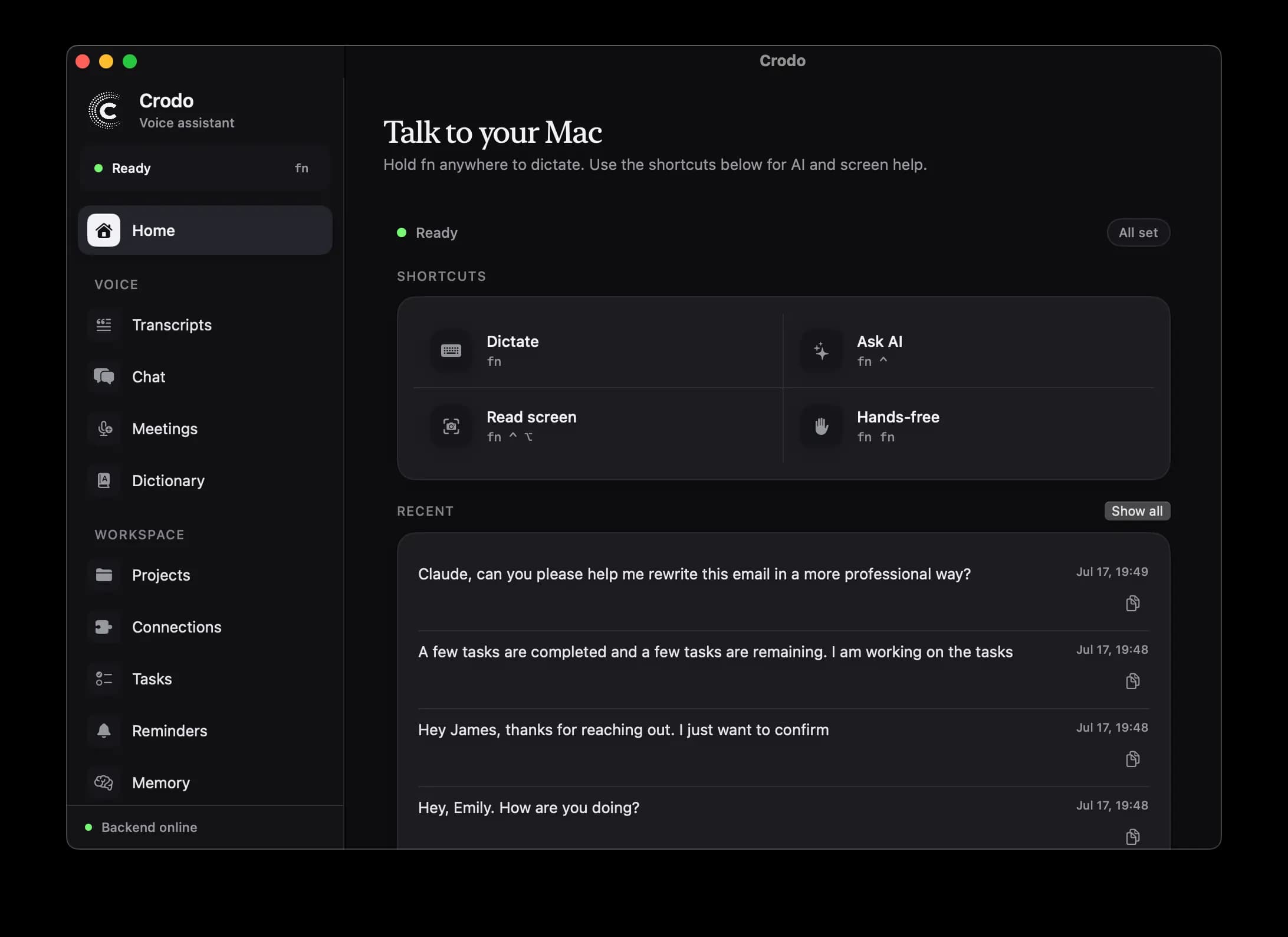
Crodo is designed for the moments where typing, copying, rewriting, or taking notes slows you down. Hold a hotkey, speak, and get the result.
Hold your hotkey, speak naturally, and Crodo transcribes, cleans up, and pastes your words where you were working.
Use a separate hotkey to ask questions, search the web, open apps, and copy answers back to your clipboard.
Capture the active display and ask a spoken question so the assistant can help with what you are looking at.
Record any conversation through your Mac's mic, generate transcripts, and turn long calls into structured summaries and action items.
Connect your accounts and ask what is in your inbox, what is on today, or draft a reply - answered from the real thing.
Say it once. Crodo remembers your projects and people, captures tasks, and sets reminders in your own timezone.
Workflow
Write emails, tickets, docs, and messages without switching context.
Summarize calls into decisions, key points, and action items.
Ask follow-up questions with recent conversation memory.
Use selected text as context when you want AI to rewrite or reason about it.
Connections
Connect Gmail, Google Calendar, or Slack and Crodo stops guessing. Ask a question and it reads the real thing, then answers out of your actual schedule and mail.
Sender, subject, and the point of each - read back in plain language.
Your real schedule, without switching apps or hunting for a tab.
Crodo checks actual availability instead of guessing.
A spoken sentence becomes a ready draft in the right thread.
Linking takes one tap. You approve access on the provider's own sign-in screen - Crodo never sees your password - and you can disconnect whenever you like.
View ConnectionsMeeting Notes
Record the conversation through your Mac's mic, upload it, transcribe it, and generate summaries, decisions, and action items.
View Meeting NotesGenerated note
24:18 recording · transcript saved
Summary
The team aligned on onboarding and agreed to tighten the first-run permission steps.
Decisions
Ship recording with local playback and backend-generated markdown notes.
Action Items
Yash - add release copy. Team - review Screen Recording guidance.
Crodo lives behind global hotkeys, so dictation, screen-aware questions, and meeting summaries are always one gesture away.
Dictate
Speak into any app
Turn quick thoughts into polished text without leaving the window you are working in.
Ask
Voice AI chat
Use a hotkey to ask questions out loud and copy useful answers back into your workflow.
See
Screen-aware help
Capture what is on your display so Crodo can reason with the context in front of you.
Record
Meeting notes
Capture calls, create transcripts, and come back to summaries, decisions, and action items.
And the rest
The details that decide whether a voice tool survives past week one.
Teach Crodo the names it keeps mishearing - they transcribe correctly from then on.
Ask about today's news, prices, or scores and get an answer with its source.
“Open Safari.” Crodo launches it on your Mac, mid-sentence.
Pick the key combos for dictation, Ask AI, and screen questions.
Choose which microphone Crodo records from when several are plugged in.
Every transcript and answer is saved, searchable, and easy to revisit.
Crodo is a macOS AI voice assistant for dictation, voice questions, screen-aware help, and AI meeting notes.
Yes. Crodo uses global hotkeys and can paste dictated text into the focused app after transcription.
Yes. The macOS app records through your microphone - no bot joins the call - then sends the recording through the backend for transcription and AI notes. That covers in-person meetings and calls on speaker; on a headphones-only call it captures your side.
Only if you connect them. Link Gmail, Google Calendar, or Slack from the Connections tab, approve access on the provider's own sign-in screen, and Crodo can answer from your real inbox and schedule. Nothing is connected by default and you can disconnect any time.
Yes. Crodo can search the web for current information, and it uses your Mac's own local time, so “today”, “tomorrow at 5”, and reminders land in your timezone.
The macOS client talks to the backend. API keys, model choices, speech-to-text, and conversation memory are handled server-side.